
Apps script Webapp | Lấy giá trị Input hiển thị lên – Web Get value input field display on web
Giaoan.link chia sẻ đến các bạn một project về “Apps script Webapp | Lấy giá trị Input hiển thị lên – Web Get value input field display on web” khá thú vị. Đây là một ứng dụng nhỏ và bạn có thể thêm nó vào các form nhập liệu của mình.
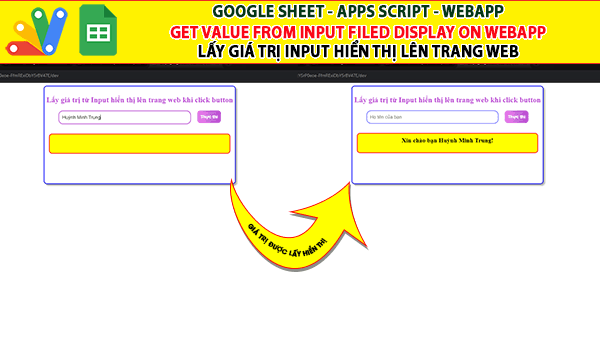
Chức năng của nó là sẽ lấy giá trị của một trường input để hiển thị ngược lại trên một trường khác của webapp. Dưới đây là code apps script và video demo trên youtube.
Bạn dễ dàn tìm kiếm các project apps script, googlesheet ở đây.
Các project googleapps script ngẫu nhiên
- Giới thiệu Web Manager – Giải pháp Quản lý Liên kết Tập trung Thông minh
- Tạo form online Hướng dẫn sử dụng Công cụ Load bảng dữ liệu
- TẠO FORM ONLINE – TÙY BIẾN GIAO DIỆN ĐỈNH CAO & XUẤT CODE THÔNG MINH! 🎉
- Bài tập thực hành Msword
- Giới thiệu Ứng dụng Khảo sát và Vẽ đồ thị Hàm số Tự động
- Google sheet Webapp Hệ thống Gửi và Phê duyệt Hỗ trợ file Pdf Xem và đính chữ ký
- Form Builder | Trình tạo form nhập liệu nhanh chóng – Bản V1
- Appscript Webapp | Kéo thả các Items theo 2 chiều Dọc – Ngang, Ứng dụng sắp xếp chu trình công việc
- GOOGLE SHEET WEBAPP TRA CỨU 34 TỈNH THÀNH VIỆT NAM MỚI NHẤT (SÁP NHẬP 2025)
- Quản Lý Tài Chính Cá Nhân Hiệu Quả Với Web App Google Apps Script
Mã apps script trang “Code.gs”
function doGet(){
  return HtmlService.createTemplateFromFile("index")
  .evaluate()
}
Mã apps script trang “Index.html”
<!DOCTYPE html>
<html>
  <head>
    <base target="_top">
    <style>

.container{
  border: 2px solid blue;
  border-radius: 10px;
  width: 600px;
  height: 300px;
  padding: 5px;
  margin-left: auto;
  margin-right: auto;
  box-shadow: 5px 5px 5px #aaaaaa;
}

.fields{
  display: flex;
  justify-content: center;
  flex-wrap: wrap;
  gap: 20px;
}


h2{
  color: #BA55D3;
  text-align: center;
  text-shadow: -1px 0 #fff, 0 1px #fff, 1px 0 #fff, 0 -1px #fff;
  padding-top: 5px;
}

.input-field{
  width: 400px;
  height: 20px;
  font-size: 15px;
  border: 1px solid blue;
  outline: none;
  border-radius: 15px;
  padding: 10px;
}
.contact-inputs:focus{
  border: 2px solid #000;
}
.input-field:focus{
  border: 2px solid #BA55D3;
}

button{
  height: 40px;
  padding: 10px 10px;
  border: none;
  border-radius: 10px;
  font-size: 14px;
  font-weight: bold;
  color: #fff;
  background-image: linear-gradient(270deg,#BA55D3,#EE82EE);
  cursor: pointer;
}

p{
  width: 100%;
  font-size: 20px;
  font-weight: bold;
  text-align: center;
  height: 40px;
  border: 2px solid red;
  border-radius: 10px;
  background-color: yellow;
  padding: 10px;
  margin: 10px;
}
</style>
  </head>
  <body>


    <div class="container">
      <h2>Lấy giá trị từ Input hiển thị lên trang web khi click button</h2>
      <div class="fields">
        <input class="input-field" name="input1" id="input1" type="text" placeholder="Họ tên của bạn">
        <button id="btn1">Thực thi</button>
        <p  id="message"> </p>
      </div>

    </div>

   <script>
      const input1 = document.getElementById("input1");
      const btn1 = document.getElementById("btn1");

      function sendmessage(){
        document.getElementById("message").innerHTML = 'Xin chào bạn '+input1.value+ '!';
        input1.value = "";
      }
      btn1.addEventListener("click",sendmessage);
    </script>
  </body>
</html>